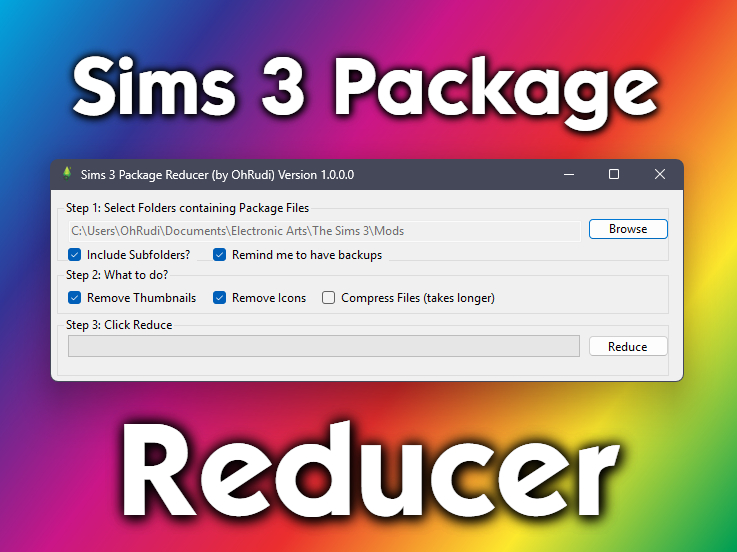


Sims 3 Package Reducer (S3PE) by OhRudi - Update (03/06/2026)

by OhRudi
Uploaded Feb. 25, 2026, 8:58 p.m.
Updated March 6, 2026, 8:44 p.m.
🌈👩💻Overview👨💻🌈
- This software reduces the size of Package-Files drastically, very usefull if you have tons of CC
- It removes thumbnails (THUM) and icons (ICON) resources from Package-Files and compresses them
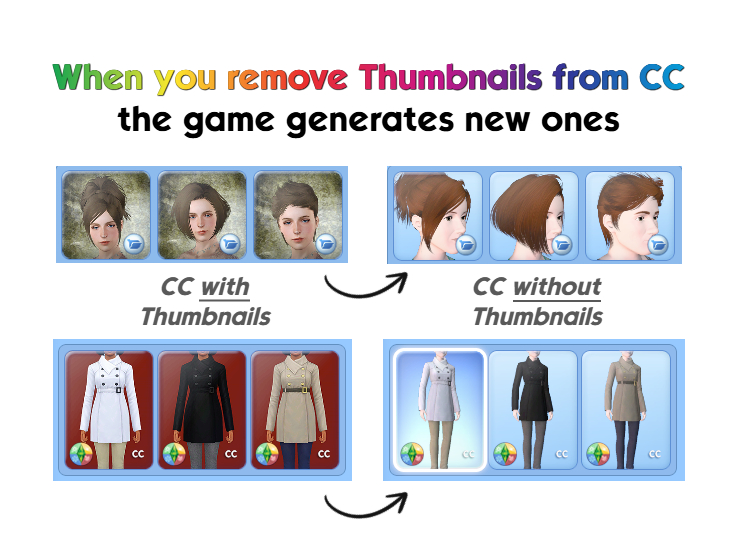
- Thumbnails are safe to remove, the game regenerates them (see image explenation)
- Icons are safe to remove, the game doesn't use them, nor does CC-Magic
- Compressing reduces mod size drastically and lets CC load faster into the game
- DO NOT compress mods (like NRaas and other Script-Mods), only compress CC
- Works only for Package-Files, not for Sims3Pack-Files
- Works only for Windows (did test for Windows 10 & 11), not for Mac, did not test on Linux
🤔 How to install? 🔧
- Just download and open the ".exe-file", you can move it anywhere, nothing else required
- Works only for Windows, not for Mac, did not test on Linux
- The warning message "Unknown Publisher" comes up, cause Microsoft wants me to pay, just so this popup won't appear
- You can just tick the "Always ask before opening this file" and it won't appear anymore
- (Optional) Technical Detail why this happens: You can sign software with a certificate by Microsoft, so windows knows it can be trusted. But this costs $70/year (minimum) and has no other effect than removing the warning.
- If you're unsure if you can trust me, you're free to look at the source code on GitHub
- I added explanations in the code and how to compile it yourself
- (Optional) Technical Detail: It's just around 500 lines of code and parts of it I copied from other very successful Sims 3 Tools. If you're keen in coding, you'll find your way in the codebase pretty easily.
🤔 How do I use it? 🙆♀️
Important Notice: You don't have to use it repeatedly. The changes to the files are permanent. Once you finished, you only have to do it for new Package-Files.
1. Click "Browse", choose one or multiple folders that contain Package-Files
- You can enable "Include Subfolders" and it will look at the subfolders as well
2. Check the boxes, choose what it should do with the Package-Files
- "Remove Thumbnails" removes all Thumbnail (THUM) resources in the Package-Files
- Thumbnails are safe to remove, the game regenerates them (see image explenation)
- Some CC (mostly hair and clothes) has custom thumbnails, these will be removed, cause those images tend to be pretty big in file size
- "Remove Icons" removes all Icons (THUM) resources in the Package-Files
- Icons are safe to remove, the game doesn't use them, nor does CC-Magic
- "Compress Files" uses the Sims 3 Recompressor (S3RC) Tool by J. M. Pescado to compress the Package-Files, it's a well known tool
- DO NOT compress mods (like NRaas and other Script-Mods), only compress CC
- Compressing can take pretty long, but it will be worthwhile for your Game/CC-Experience, especially if you have tons of it, like me
3. Reminder: Do you have a backup?
- You'll be reminded to have backups
- You can disable the warning by unchecking "Remind me to have backups"
4. Click "Reduce"
- Now you can make yourself a coffee, some tee or take a bath :D
- Depending on the amount and size of the files, this can take a while (especially if you enabled compressing)
- But trust me, it will be worth it
5. If you click "Stop"
- It will not stop immediately, it will finish the file it currently edits and than stop
⚙️ Technical Details 💡
- You can find the source code on GitHub
- It's published under the GNU General Public License (GPL-3.0)
- Feel free to fork the code and change it any way you like, this source code meant to be public, free and open
- The README-File contains instructions on how to compile the code yourself
- I used Visual Studio 2026 with .NET 10.0 and WinForms API to create the GUI
🕑 Changelog 🔁
06.03.2026 - Version 1.0.1
- No Failure if file is not accessable
- skips if file is not readable or writeable
- shows summary of skipped files at final success and stopped popup messageboxes
⭐ Big thanks to ... 💐
- Sims 3 Easy Extractor & Merger Tools by phantom99 (their project and open source code inspired me to do this)
- Sims 3 Package Interface by Peter L Jones
- Sims 3 Recompressor (S3RC) Tool by J. M. Pescado
- Pixlr.com which I always use for free image editing
- Seasons Coat with Buttons for teens by sweetdevil, which I used for example pictures
- Set of hairstyles Skysims by Agnelid, which I used for example pictures
- AND to this awesome and still alive community of simmers ^^
Other Uploads By OhRudi:
Fix: Nektar Squishing Makes You Dirty
 by
OhRudi
by
OhRudi
Fix: Nektar Squishing Makes You Dirty

Create A World Tool, for Patch 1.67 and 1.69, Version 1.19.6
by
OhRudi
This is just a backup, in case the official download link is offline
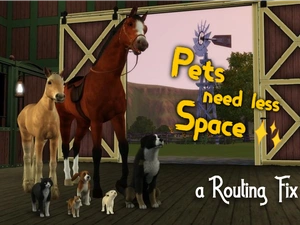
Fix: Pets need less Space
Project: Less Space Needed
by
OhRudi
all pet interactions take up less space, improves routing, especially for horses
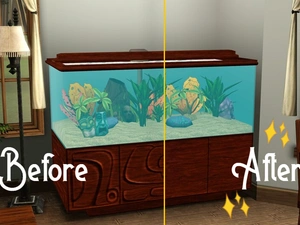
Store Tropical Aquarium Edit
by
OhRudi
No ugly Pattern on the Store Aquarium
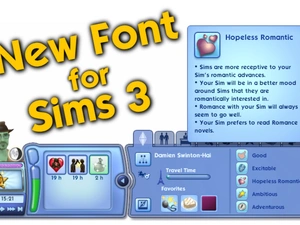
Font Replacement (The Sims Sans)
by
OhRudi
A new font for the Sims 3
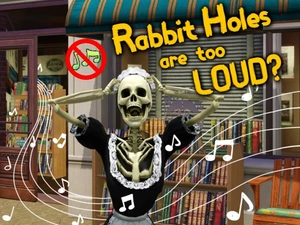
Rabbit Holes without Sound
by
OhRudi
Mute those damn rabbit holes
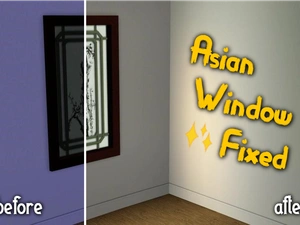
Fix: Asian Window emits light
by
OhRudi
The "King Qing’s Window" now emits light
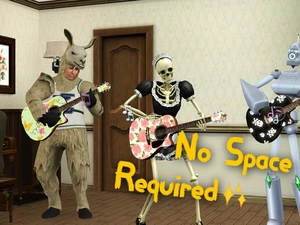
Fix: Guitar needs less Space for playing
Project: Less Space Needed
by
OhRudi
Fix: Guitar needs less Space for playing