Enabling "Open with..." for Windows programs on Linux (for CleanInstaller, SimPE, ...)
Project: Linux Tutorials

Uploaded Jan. 2, 2026, 3:48 p.m.
Updated Jan. 2, 2026, 3:51 p.m.
You know how on Windows you can simply double click on .Sims2Pack files and CleanInstaller will automatically open them? Same with .package files and SimPE.
On Linux, this does not work out-of-the-box, because both CleanInstaller and SimPE are Windows programs. However, by creating a simple .desktop file, we can make it work just like on Windows. I will be writing this tutorial for CleanInstaller, but you can do the same with SimPE. You'll then be able to install lots and sims by simply double clicking those install files, just like how you'd do it on windows.
- Go to /home/[PC name]. Then hit ctrl+h to show hidden folders. From there, go to .local/share/applications.
- Inside that folder, create a new file and name it CleanInstaller.desktop (make sure that it does NOT end with .txt!)
- Open your new file with a text editor like KWrite or Kate.
- In the file, write the following:
[Desktop Entry]
Type=Application
Name=CleanInstaller
Icon=[add a path to the .ico file you want to use, this is optional]
Exec=WINEPREFIX="/home/[insert PC name]/Games/the-sims-2/" "/home/[insert PC name]/.local/share/lutris/runners/wine/wine-ge-8-26-x86_64/bin/wine" "[insert path to CleanInstaller.exe]" %U
Categories=Game
CAUTION: If for whatever reason your runner for the Sims 2 is different (meaning it is NOT wine-ge-8-26-x86_64), then change it in the text above! It needs to be the same runner as the game is using. Also, please make sure that it is actually in the file path specified above. Yours can vary slightly.
Save your file.
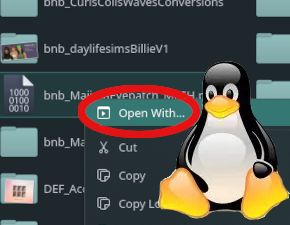
To test, go download a sim or house, right click the file, select "open with..." and see if CleanInstaller is in the list.
Tip for people who use KDE plasma: Right click on a .sims2pack file, select "Properties". In the new window, next to "Open With", click on +Create. Another window should now open, where under "Application Preference Order", you click on + Add:
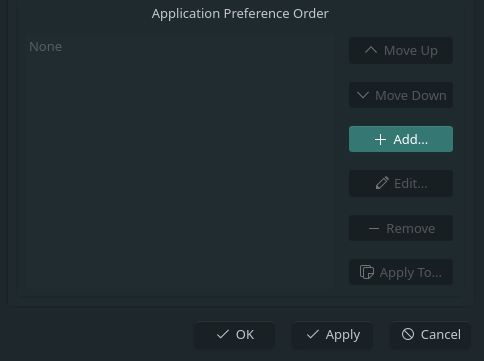
Here, you can now select CleanInstaller, apply the changes and save. This should now make it so all .sims2Pack files will automatically be opened in CleanInstaller when you double-click them.